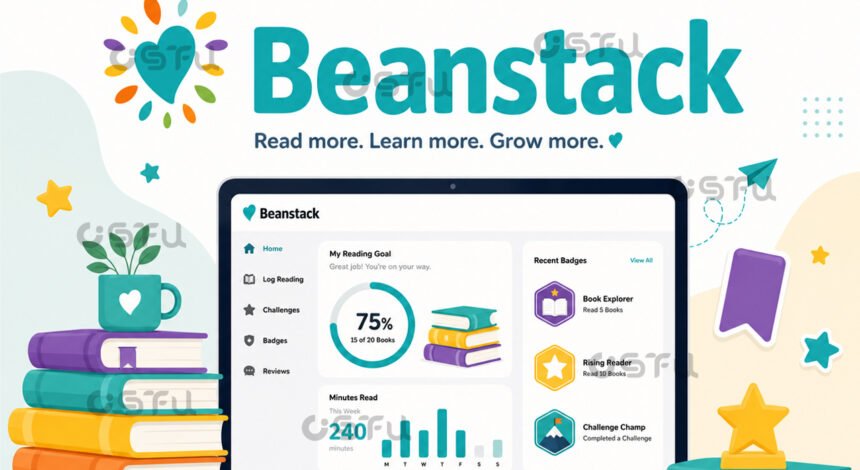
Beanstack is a reading tracker app and website that libraries, schools, and other organizations use to help readers log books, minutes, and pages while participating in reading challenges. Beanstack works by letting a reader search for a title or scan its barcode, record time or pages read, and watch that activity build toward badges, streaks, and challenge goals set by their library or school. The platform was created by Joyful Reading Co, and it now powers logging and discovering books, tracking reading, and participating in reading challenges and activities for public libraries, school districts, and youth programs across the country.
What Is Beanstack Used For?
Libraries and schools use Beanstack to run structured reading programs, most commonly summer reading challenges and year-round literacy initiatives. York County Libraries, for example, uses Beanstack during its SummerQuest program and its 1000 Books Before Kindergarten initiative, and many other library systems run similar programs on the same platform.
Beyond libraries, schools use Beanstack to monitor classroom and school-wide reading habits. Some districts rely on a feature called the Daily Reading Tracker, which gives teachers visual reports with weekly insights and a dashboard widget that highlights top readers in each class, helping staff spot trends and support students who are falling behind.
How Does Beanstack Track Your Reading?
Beanstack tracks reading by letting users log activity through the mobile app or the website, then storing that data against personal and group goals. To log a book, a reader enters or scans the title, then records progress using minutes read, pages read, or by marking the book finished.
For books logged with page tracking turned on, users search for the title or scan its ISBN, then log their reading while including the last page read, which updates their progress each time they add more pages. Parents can log reading time for younger children, while older students and adult readers typically manage their own logs directly in the app.
How Do You Sign Up for Beanstack?
You sign up for Beanstack through your library, school, or another sponsoring organization rather than creating a generic account. Most users start by downloading the Beanstack Tracker app on iOS or Android, then choosing their specific library or school from a site search before registering.
The Fairfax County Public Library walkthrough shows a typical flow: users open the app, choose “At my library, school or bookstore,” search for their library by name, and select it before creating an account. From there, account setup asks for basic contact details, and a library card number is often optional rather than required.
What Features Does the Beanstack App Offer?
The Beanstack app centers on gamified reading tracking, including badges, streaks, and progress visuals tied to individual and group goals. According to Beanstack’s own product blog, users can track reading streaks to build momentum, earn badges for completing challenges and hitting milestones, and view graphs and metrics that show their progress toward reading goals.
Social and fundraising features extend the core tracking tools. The app supports connecting with friends to share progress, joining leaderboards for friendly peer competition, and taking on customizable challenges tied to specific genres or goals, and the Android listing notes that organizations can run reading fundraisers where participants earn badges while collecting donations for their school or library.
Who Created Beanstack?
Beanstack is developed by Joyful Reading Co, a company the app describes as focused on nurturing a lifelong love of reading through engagement, access, and data driven insights. The Google Play listing also credits Zoobean, Inc. as a developer name tied to the app, reflecting the company’s earlier branding before it became Joyful Reading Co.
Beanstack partners directly with libraries, schools, and districts rather than selling to individual readers. That business model is why signing up always starts with selecting a specific organization instead of creating a standalone personal account.
Conclusion
Beanstack gives libraries and schools a straightforward way to turn reading into a trackable, motivating activity, whether that means logging minutes for a summer challenge or monitoring a classroom’s reading habits over a semester. Because every account connects to a specific organization, the fastest way to start is finding your library or school inside the app and setting up your reader profile from there.
FAQs
Is Beanstack free to use?
Beanstack itself does not charge individual readers a fee, but access depends on your library, school, or organization having a Beanstack account. Most public libraries offer it as a free member benefit, and a library card is sometimes optional depending on how the organization sets up its site.
Do I need a library card to use Beanstack?
Not always. Some libraries require a card to join their Beanstack site, while others, such as Fairfax County Public Library, list the library card number as an optional field during signup rather than a strict requirement.
Can adults use Beanstack, or is it just for kids?
Adults can use Beanstack. Many libraries run adult reading challenges alongside youth and family programs, and the app supports individual logging as well as parents logging reading time for young children.
What devices support the Beanstack app?
Beanstack Tracker is available as a free download on both the Apple App Store and Google Play Store, and the same account also works through Beanstack’s website on a desktop or laptop browser.
How do I find my library or school on Beanstack?
After opening the app, select “At my library, school or bookstore,” then use the Find a Site search bar to type your organization’s name and choose it from the results. This links your new account to that organization’s specific challenges and reading programs.