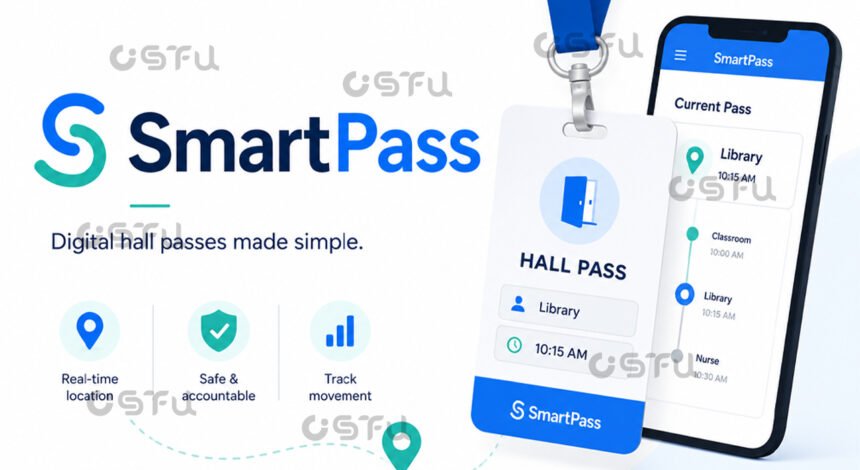
SmartPass is a digital hall pass and student movement platform that schools use to replace paper passes with an app-based system for requesting, approving, and tracking trips out of class. Instead of a laminated card hanging by the door, students tap a button on a phone, Chromebook, or classroom kiosk to ask permission to leave the room, and teachers approve or deny the request from a dashboard. The system then times the trip, logs where the student went, and feeds that data into reports that administrators use to spot attendance and safety patterns. It was built by two high school students, Peter Luba and Dhruv Sringari, and has since grown into one of the most widely used digital hall pass tools in American K-12 education.
What Is SmartPass Used For?
SmartPass exists to solve a simple problem: schools cannot easily track who is out of class, where they went, and for how long, when passes are handwritten slips or wooden blocks. The founders originally built it as a digital alternative to sign-out sheets and wooden hall passes students use when they go to the bathroom, and the product has expanded from there into a broader student accountability tool.
Today, schools use SmartPass for restroom trips, nurse visits, counseling appointments, locker breaks, and scheduled events like tutoring or club meetings. Administrators can set a maximum number of passes allowed to or from a specific room, such as limiting a restroom to three students at once or a classroom to one student out at a time, which helps prevent crowded hallways and unsupervised gatherings.
How Does the SmartPass Process Actually Work?
The process starts with a student request and ends with a logged, time-stamped record. A student who wants to leave the classroom first asks the teacher for permission, then presses a button in the app to make a formal request, at which point a countdown timer starts to show how much time the student has.
Once the pass is approved, the timer counts down while the student is in the hallway, and the student must press “End Pass” upon arriving at the final destination. If the student runs out of time before returning, the timer flips and begins counting upward in red, and the pass automatically closes after a set period that schools typically configure around 10 to 15 minutes. Behind the scenes, the system also records when the student arrived at the destination and when they signed out to return, giving staff a reliable log without relying on GPS tracking of the student’s location.
How Do Schools Set Up SmartPass?
Setup is designed to be fast for IT staff and simple for teachers. SmartPass integrates with a school’s student information system through Google, ClassLink, or Clever to automatically sync student rosters, and once rooms and admin-level settings are added, the platform is ready for use. Most schools go from a product demonstration to a full launch in under one week.
For schools without one-to-one devices, SmartPass offers an alternative. Staff can set up Kiosk Mode in a classroom for students who do not have a personal device or are not part of a one-to-one program, allowing them to check in and out at a shared station instead. This flexibility is one reason the platform has scaled across districts with very different technology budgets.
What Data Does SmartPass Track for Teachers and Administrators?
SmartPass gives teachers a live view of active passes and gives administrators aggregate data on movement patterns. Teachers and admins can monitor active hall passes in their building, view the pass history of a particular student or room, and get a live view of all activity happening across the school.
That data has measurable effects when schools use it consistently. Schools have reported reductions of up to 60 percent in missed class time and 45 percent drops in behavioral referrals after adopting the system, according to figures cited by co-founder Peter Luba. Administrators use this reporting to identify students who are frequently out of class, which can flag academic or wellbeing concerns worth a closer look.
Who Created SmartPass and How Did It Grow?
SmartPass began as a side project, not a funded startup. Peter Luba and Dhruv Sringari, high school classmates, developed it after their school invested in Chromebooks and the pair brainstormed what else could be digitized in the classroom. The project slowed while they attended college but kept gaining schools, eventually reaching around a hundred customers, and after hiring their first sales executive that number grew to a thousand schools within six months.
Growth accelerated further during and after the COVID-19 pandemic. A year after Luba graduated from Lehigh University, more than 1,000 schools across six countries were using SmartPass, and he left a job at Salesforce to become the company’s full-time CEO. In December 2024, SmartPass was acquired by Raptor Technologies, a school safety software company that works with roughly 60,000 schools globally, including more than 5,000 K-12 districts in the United States. Today the platform is used by more than 2 million students across a large number of schools. For official product details, schools can review SmartPass’s own site at smartpass.app or the Google Play listing for its mobile app.
Conclusion
SmartPass turns a routine classroom task, the request to leave the room, into a timed, logged, and searchable digital record. For students, it means a quick tap and a clear timer. For teachers and administrators, it means real-time visibility into where students are and data that can reveal attendance or behavioral trends worth addressing. As more districts move away from paper-based systems, tools like SmartPass are becoming a standard part of how schools manage the school day.
Frequently Asked Questions
Is SmartPass free for students to use?
No. SmartPass is a paid platform that schools and districts license, not an app students purchase individually. Students only get access if their school has adopted the system and enrolled them through the school’s account.
Does SmartPass track a student’s exact location with GPS?
No. SmartPass functions as a record keeper, logging when a student left and arrived at approved locations rather than continuously tracking their position like GPS. It confirms check-in and check-out points, not real-time whereabouts in between.
How many passes can a student use per day?
It varies by school. Administrators typically set a daily pass limit along with a specific time allowance per pass, so the exact number depends on each school’s individual configuration and policies.
What happens if a student takes too long on a pass?
If a student exceeds the allotted time, the pass timer turns red and starts counting upward, alerting staff that the student is overdue, and the system typically auto-closes the pass after roughly 10 to 15 minutes.
Who owns SmartPass now?
Raptor Technologies, a school safety software company serving 60,000 schools worldwide, acquired SmartPass in December 2024. Co-founder Peter Luba stayed on as director of product within Raptor after the deal closed.